
How Dropbox's Riviera prepares any file for AI answers
Dropbox turned Riviera, the platform behind its file previews, into the pipeline that converts files to text and embeddings for AI summaries, Q&A and Dash.
DropboxUnited StatesEnterprise softwareIn production
- Scale
- hundreds of thousands of transformations every second
- Scenario
- File content extraction for AI summaries and question answering
- Business function
- Knowledge management
- Kind of solution
- Knowledge assistant
- Who built it
- Built in-house
- Human oversight
- Assists people
- Organization
- Enterprise, 1,000 to 9,999 employees
- AI types
- Generative AI, Conversational AI, Document AI, Speech AI
tl;drCost per AI file summary fell 93%, and p75 summary latency dropped from 115 seconds to 4 seconds.See the results
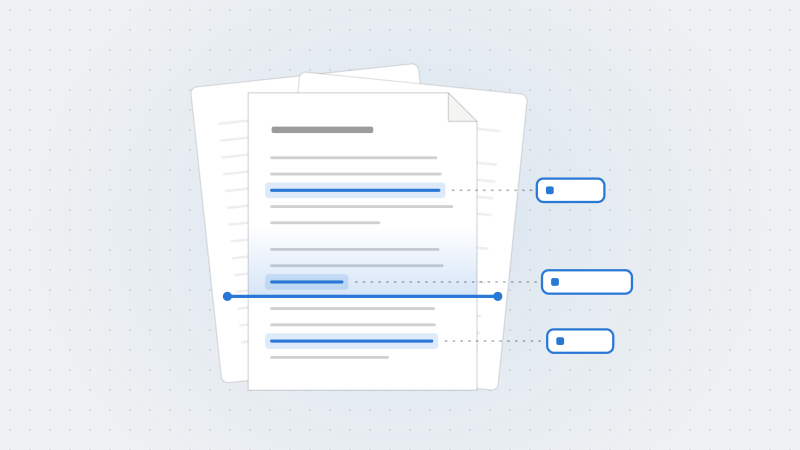
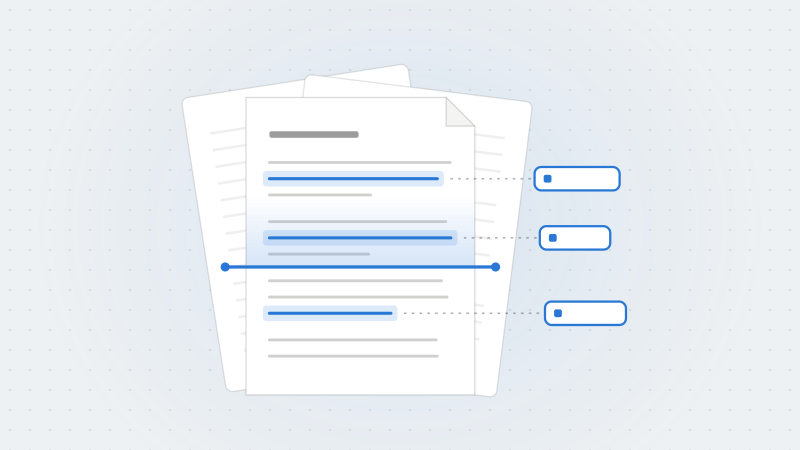
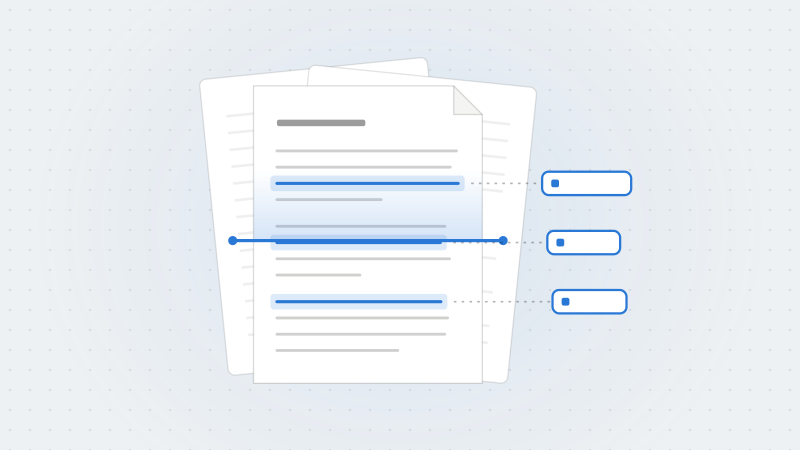
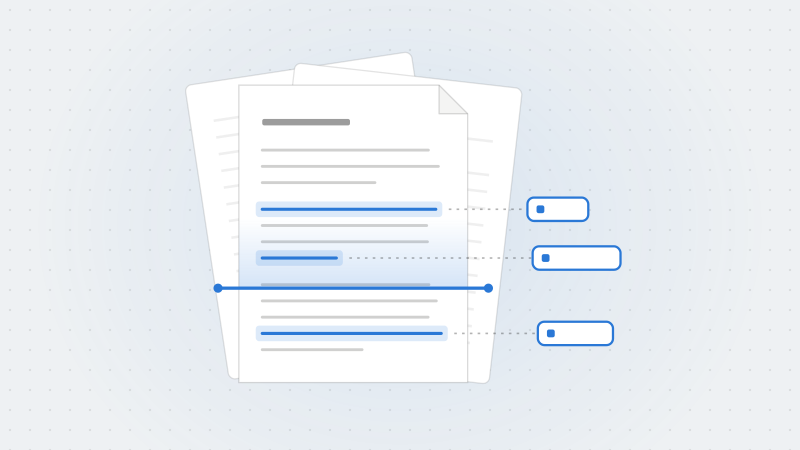
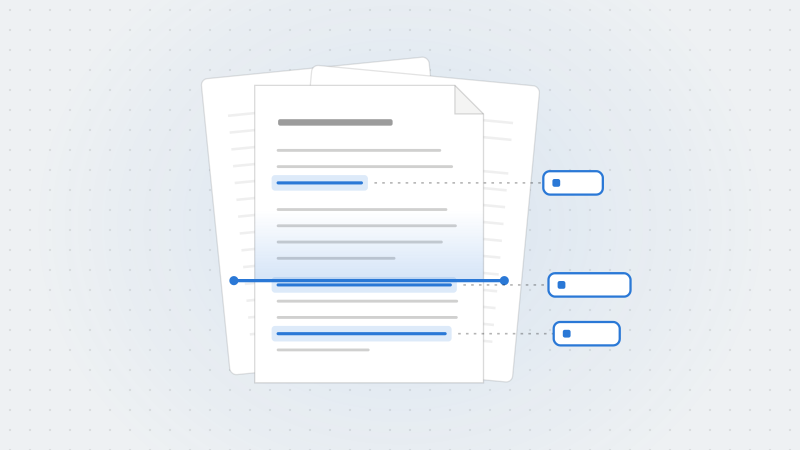
Dropbox uses Riviera, its in-house content processing platform, to turn stored files into text, transcripts and embeddings that language models can read1, 2. The same pipelines feed AI summaries and Q&A in web file previews and prepare content for Dropbox Dash, one of its AI-powered products1.
In July 2026, Dropbox described how Riviera grew from a preview service into the shared platform behind Dash1. It also opened a growing set of Riviera capabilities through its public API and Model Context Protocol (MCP) tools1.
For the summaries and Q&A in file previews, cost per summary dropped by 93% and cost per query by 64% from the start of the project to July 20242. Over the same period, p75 summary latency fell from 115 seconds to 4 seconds2.
Before the deployment
Riviera started about a decade ago as an internal service for file previews, run by a dedicated Previews team1. Other teams soon reused it: the Search team prepared documents for indexing with it, and Sign, DocSend and Replay built on its transformations1.
The platform already worked at a scale that a new AI pipeline would have to match:
- File formats: Dropbox supports more than 300 file formats, each with outputs such as thumbnails, previews, extracted text and metadata1.
- Volume: In July 2024, Riviera handled about 2.5 billion requests a day, totalling nearly an exabyte of data2.
- Duplicated logic: Separate services per format would have kept the same PDF logic in several places, so Riviera broke each task into reusable transformations1.
Language models added a new need. Before a model can answer a question about a document or summarize it, the document has to be turned into something the model can understand1. Without that, a person summarizing a contract would copy its text from the PDF into an LLM chat prompt2. Dropbox wanted summaries for all of its users’ files, whatever the format or length2.
What was built
Riviera treats text extraction, transcription, embeddings, summaries and answers as file conversions, which it chains through plugins2. Users can then ask for a summary of a file, or ask a question about it, from the file preview on the web2. The work divides like this:
- Conversion plugins: Turn a file into text. A video becomes audio and then a transcript, and scanned pages are recognized as text1, 2.
- Embeddings plugin: Splits the text into paragraph-sized chunks and computes one embedding per chunk, which summaries and Q&A share2.
- Summarization plugin: Groups the chunks with k-means clustering, joins one representative chunk from each major cluster and has an LLM summarize that context2.
- Q&A plugin: Embeds the user’s question, picks the chunks closest to it and sends them with the question to the language model2.
- Users: Turn the features on or off, choose which files to share with the LLM and check the chunk locations returned as sources2.
The LLM also returns follow-up questions in the same request as the summary or answer, through function calling and structured outputs2. For Dash, Riviera prepares files from Dropbox, Google Drive, Slack and other connected sources for indexing and AI. When someone asks Dash about a document, the transformed content serves as context for the models1.
Alternatives considered
- Summary of summaries: A map-reduce approach summarizes parts and then the summaries. Dropbox chose k-means clustering, which covered more topics and needs a single LLM call, with a lower chance of hallucination2.
- Precomputed responses: Computing ahead of time gives lower latency. Dropbox computes in real time so that users choose the files the LLM sees, and to avoid paying for requests nobody makes2.
- Full file text: Sending only the most relevant parts of a file returned summaries and answers with lower latency and lower cost2.
- A new pipeline for Dash: The Dash team reused Riviera, which already supported hundreds of file types, instead of building a document processing system from scratch1.
Rollout
- 2024: Summaries and Q&A in web file previews, in early access on select Dropbox plans, expanded from one file to multiple files at once2.
- July 2026: Riviera prepares content for Dash, and Dropbox opened Riviera capabilities to developers through its public API and MCP tools1.
Technology and architecture
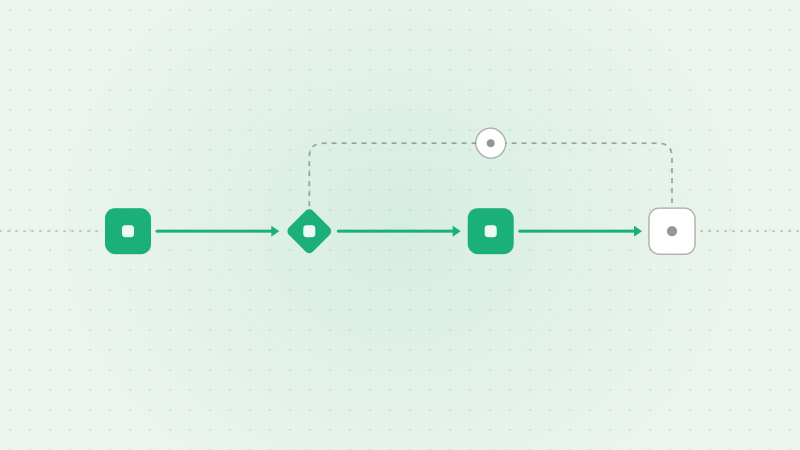
Riviera is a conversion framework that keeps a graph of possible conversions and chains plugins into multi-step pipelines2. In this deployment, its frontend validates each request, composes the work and dispatches it to backend workers, one type per transformation1. Each plugin runs in a jail, a container for running third-party code and tools in isolation2.
| Layer | What they used | Role | Source |
|---|---|---|---|
| Solution platform | Riviera | Converts files to text, transcripts and embeddings through chained plugins | 1, 2, 3 |
| Workflow engine | Riviera frontend | Validates requests, composes the chain of conversions and dispatches work to backend workers | 1, 2 |
| Data preparation | Conversion plugins | Convert one file type to another, such as video to audio | 1, 2 |
| Speech recognition | Transcription conversion | Turns the audio track of a video or an audio file into a transcript | 2, 4 |
| Document and OCR model | OCR extraction | Recognizes scanned pages so that they contribute text | 1, 4 |
| Embedding and ranking model | Embeddings plugin | Splits extracted text into paragraph-sized chunks and computes an embedding for each chunk | 2 |
| Language model | Summarization plugin | Clusters the chunks with k-means and has an LLM summarize one representative chunk per major cluster | 2 |
| Language model | Q&A plugin | Ranks chunks by closeness to the question and sends the closest ones with the question to the language model | 2 |
| Data platform and storage | Riviera cache | Stores each state of a conversion pipeline, so transcripts and embeddings are reused | 1, 2 |
| Customer app or website | Dropbox file previews on the web | Shows the summary, the answer, its source chunks and follow-up questions beside the file | 2 |
| Workplace application | Dropbox Dash | Ingests content from connected sources and answers questions with the content Riviera prepared | 1, 3 |
Data inputs
- Stored files: Documents, videos and audio files in about 300 file types, previewed on the web2.
- Connected sources: Content that Dash ingests from Dropbox, Google Drive, Slack and other sources1.
- The user’s question: Embedded by the Q&A plugin and compared with each chunk of file text2.
Integrations
- File previews on the web: Show the summary or answer, the chunk locations used as sources and the follow-up questions2.
- Dropbox Dash: Takes the content Riviera extracted and normalized before indexing3.
- Public API and MCP tools: The extraction route returns Markdown, plain text, OCR text with word positions, a timestamped transcript or keyframes4.
How one video summary flows through the system
- The user opens a video in the web preview and asks for a summary2.
- The Riviera frontend chains plugins that turn the video into audio and the audio into a transcript2.
- The embeddings plugin splits the transcript into paragraph-sized chunks and computes an embedding for each. Riviera caches each state of the pipeline2.
- The summarization plugin gives the first two chunks top priority, then clusters the rest with k-means to find semantically dissimilar chunks2.
- The LLM summarizes the representative chunks and returns follow-up questions in the same request2.
- The user asks a follow-up question. The Q&A plugin reuses the cached transcript and embeddings and ranks the chunks by closeness to the question2.
- If the user selected several files, the plugin takes the top 50 chunks and cuts off the bottom 20% of their relevance spread2.
- The language model answers from the remaining chunks, and the preview shows their locations as sources2.
Results
| Metric | Before | After | Scope and timeframe | Reported by |
|---|---|---|---|---|
| Cost per summary | Not disclosed | 93% lower | Web file previews, project start to July 2024 | Dropbox, measured2 |
| Cost per query | Not disclosed | 64% lower | Web file previews, project start to July 2024 | Dropbox, measured2 |
| p75 latency of summaries | 115 seconds | 4 seconds | Web file previews, project start to July 2024 | Dropbox, measured2 |
| p75 latency of queries | 25 seconds | 5 seconds | Web file previews, project start to July 2024 | Dropbox, measured2 |
- Cost per summary and per query: The drops cover the period from the start of the project to July 2024, for features then in early access on select Dropbox plans2.
- p75 latency: The time within which 75% of requests finish. Query latency fell from 25 seconds to 5 seconds over the same period2.
- Topic coverage: In testing, k-means summaries covered about 50% more topics than a map-reduce summary of summaries2.
- Platform scale: In July 2026, Riviera had more than 100 capabilities performing hundreds of thousands of transformations every second1.
- Delivery speed: Features that might once have taken months shipped in weeks once teams built on Riviera1.
Lessons learned
Treating AI steps as file conversions paid off. A user who summarizes a video and then asks follow-up questions needs the transcript and embeddings generated once2. Improvements to text extraction made both AI responses and search results more accurate1.
Dropbox’s own framing puts the weight on conversion, not on the model. Its 2026 post calls extraction, OCR and format conversion content transformation problems rather than AI problems1. The 2024 team reached a similar view in testing: sending garbage into the LLM means garbage out2.
The first version didn’t cache embeddings, so it called the LLM several times for the same document2. Caching in the next version cut the number of API calls2.
Computing embeddings for each file adds latency and compute to every request, which Dropbox accepts for higher-quality responses2. Answering in real time also gives up the lower latency of responses computed ahead of time, in exchange for users choosing which files the LLM sees2.
The cost and latency figures are Dropbox’s own measurements, published on its engineering blog while the features were in early access on select plans2. InfoQ’s coverage restates the platform’s scale from Dropbox’s posts3.
Case study scorecard
- 93% Lower cost per summary2
- 64% Lower cost per query2
- 4 seconds p75 latency of summaries2
- 5 seconds p75 latency of queries2
Sources by publication date
- Organization 2
- Vendors and partners 1
- Press, academic, and regulators 1
Build this solution yourself
Analysis
What you need
- A conversion layer for every format you store: Dash could skip building its own pipeline because Riviera already handled hundreds of file types and transformations1.
- A cache for intermediate results: Summaries and follow-up questions reuse the same transcript, chunks and embeddings, and the uncached first version called the LLM repeatedly2.
- A rule for how much context to send: Answer quality depended on sending the right chunks, so you need embeddings at chunk level and a cutoff such as Dropbox’s relevance spread2.
Reference architecture
Knowledge assistant
A knowledge assistant answers a question that staff ask in their own words, by using the organization's own documents, and shows the sources of the answer. The search index returns the passages that best match a question, and a language model writes the answer from them. Content curators prepare the content beforehand, and the person who asked checks the answer and decides what to do with it.
- Chat interface
- Assistant platform (documented in this case study)
- Search index
- Knowledge content
- Content ingestion (documented in this case study)
- Embedding and ranking models (documented in this case study)
- Language model (documented in this case study)
- Answer ratings
- Business system
- Test set of sample questions
A check mark shows a building block that this case study's sources document.
Open the reference architectureOthers who built it
- European Commission: European Commission's DG INTPA gives staff an AI assistant. More than 2,000 DG INTPA staff have sent the AI assistant over 400,000 queries since March 2026.
- NSI Luxembourg: AskNSI answers 83% of employee queries at NSI Luxembourg. AskNSI automatically answers 83% of employee queries at NSI Luxembourg.
- West Midlands Police: West Midlands Police halts Copilot after AI hallucination. West Midlands Police switched Copilot off after it put a non-existent match in a police report.
- Vanderlande: Vanderlande's AI assistant handles IT self-service requests. Vanderlande's VIGO assistant now takes self-service IT requests that used to reach the help desk.
- Target Corporation: How Target rolled out an AI chatbot to nearly 2,000 stores. Target store staff used Store Companion more than 50,000 times after its chainwide rollout.
- CM.com: How CM.com staff search company policies with AI agent Norma. CM.com saw policy awareness rise as staff sent policy search prompts to its Norma agent.
Cite this case study
Enterprise AI Case Studies. "How Dropbox's Riviera prepares any file for AI answers." Updated Nov 26, 2026. https://case-studies.ai/case-studies/document-intelligence/DI-077-file-content-processing-for-ai-dropbox/
@misc{csai-di-077,
  author = {{Enterprise AI Case Studies}},
  title = {{How Dropbox's Riviera prepares any file for AI answers}},
  year = {2026},
  note = {Updated 2026-11-26},
  url = {https://case-studies.ai/case-studies/document-intelligence/DI-077-file-content-processing-for-ai-dropbox/}
}Sources
The following reporting, and every passage quoted from it, belongs to its publisher, not to this site. Sources and ownership
- Source 1:
How our universal content processing platform Riviera evolved for AI and beyond
Supporting excerpts (24)
That system is Riviera, our content processing platform that's been iteratively improving content transformation in our products for roughly a decade.
Initially, Riviera started as an internal service for generating file previews, but over time, it evolved into a shared platform used across Dropbox by product teams like Search, Replay, Sign, and Dash.
We are now making these capabilities available to our developer ecosystem and design partners through API and Model Context Protocol tools.
Dropbox supports more than 300 file formats, each of which can produce multiple outputs: thumbnails, full previews, extracted text, streaming manifests, metadata, and more.
Imagine both PowerPoint and Word processing needing PDF logic, if they lived as separate services we then have to maintain similar PDF logic in two places.
Riviera first converts the presentation into a PDF, then turns each PDF page into an image that can be displayed anywhere.
We built a central point for collecting requests, composing the work to be done, and dispatching that work to backend workers.
This central piece validates requests and caches responses which protects the backend workers from duplicate or invalid work.
Today, Riviera has more than 100 such capabilities performing hundreds of thousands of transformations every second.
each day producing output equivalent to 8 years of video
it started as an internal tool run by a dedicated Previews team
The Search team soon adopted Riviera to prepare documents for indexing.
Features that might once have taken months shipped in weeks
Before an AI model can answer a question about a document or summarize a report, the document has to be transformed into something the model can understand.
Doing that well means extracting text, recognizing scanned pages, pulling out metadata, and converting hundreds of different file formats into a consistent representation.
Those aren't AI problems. They're content transformation problems, and they're exactly what Riviera was built to solve.
Because Riviera already supported hundreds of file types and transformations, the Dash team didn't have to build a new document processing system from scratch.
As Dash ingests content from Dropbox, Google Drive, Slack, and other connected sources, Riviera prepares those files for indexing and AI.
Later, when someone asks a question about a document, those transformed contents are then used as relevant context for the models to generate a response.
Improvements to text extraction made both AI responses and search results more accurate.
Faster caching reduced the work required to generate previews, answer questions, and process documents.
Support for a new file type only had to be added once before it became available everywhere Riviera was used.
Its plugin architecture allows engineers to add support for new file formats and transformations without changing the core system
making a growing set of Riviera capabilities available through our public API and MCP tools
- Source 2:
Bringing AI-powered answers and summaries to file previews on the web
Supporting excerpts (49)
Dropbox can generate summaries and answer questions about files when those files are previewed on the web.
We recently expanded AI-powered summarization and Q&A to handle multiple files simultaneously, too.
These features are still in early access, and not yet available to all users. These features are also optional, and can be turned on or off for you or your team.
Both our summarization and Q&A features leverage large language models (LLMs) to find, compare, and consolidate the content of the file.
At a high level, Riviera consists of a frontend which routes requests through one or more plugins that convert a file from one type to another.
Each plugin runs in a jail, which is a container designed to run third party code and tools safely and in an isolated manner.
The framework maintains a graph of possible conversions, and is capable of chaining together multiple plugins into a multi-step pipeline to perform even more complex transformations.
We currently support conversions between about 300 file types, and the system crunches through about 2.5 billion requests
totalling nearly an exabyte
Video (.mp4) -> Audio (.aac) -> Transcript (.txt)
Each state of the pipeline is cached, so intermediate states can be reused.
Riviera treats embeddings like any other file conversion
If a user wants to summarize a video, then ask some follow-up questions, we only have to generate the transcript and embeddings once.
In our implementation, we split the text into paragraph-sized chunks and calculate an embedding for each chunk.
Instead of having just a single embedding for an entire file, we have multiple embeddings for different sections of the text.
We apply the same chunking and embedding method for both summaries and Q&A, ensuring they share the same embedding cache within Riviera.
treating embeddings, summaries, and queries as file conversions inside Riviera allows us to operate these features at Dropbox scale
When negotiating a contract, for example, a person might copy the text from a contract PDF, paste it into an LLM-powered chat prompt, and ask the LLM to summarize it in understandable terms.
We wanted to unlock this feature for all of our users' files, no matter the format or length.
we defined a good summary as one that can identify all the different ideas or concepts in a document and give the reader the gist of each.
Our summarization plugin takes the chunks and associated embeddings from the embeddings plugin and uses k-means clustering to group the text chunks from the file into clusters in this multi-dimensional embedding space.
We then identify major clusters (the main ideas of the file) and concatenate a representative chunk from the corresponding text from each cluster into one blob
Finally, we generate a summary of that context via an LLM.
approximately 50% more than with map-reduce
When the LLM receives the entire file in one go, its likelihood of hallucinating decreases significantly.
becomes much easier because there is just a single LLM call to evaluate.
The Q&A plugin takes in the embeddings and text chunks from the embedding plugin and generates a new embedding for the user question.
By calculating the closeness of each chunk to the query in vector space, the most relevant chunks are selected.
These text chunks, along with the query, are sent to the language model for generating the answer.
The relevant chunk locations are then returned to the user as sources, allowing them to reference the specific parts of the file that contributed to the answer.
In testing we found that follow-up questions allow the user to more naturally learn about a file and the topic they are interested in.
we utilize function calling and structured outputs to request follow-up questions from the LLM at the same time we request the summary or an answer to the initial question.
The embeddings plugin would still be separate for every file, but the final summarization or Q&A plugin call would need to take in multiple files.
You cannot determine if a question is direct or broad based just on the question itself.
Our solutions takes the max and min relevance scores from the top 50 text chunks related to the user query, as calculated through the embeddings, and cuts off the bottom 20% of that spread.
Direct questions get less but more relevant context, while broad questions are given more context to expand on the topic.
Computing these transformations ahead of time allows for lower latency, but we settled on computing responses in real time because of one main factor: it allows the user to choose which files to share with the LLM
computing these requests in real-time would also save us the cost of pre-computing requests that a user might never make.
By only sending the most relevant parts of a file to the LLM in a single request, we could return summaries and answers with lower latency and lower cost.
we quickly learned through testing that sending garbage into the LLM means garbage out from the LLM.
The first two chunks chronologically are given top priority, followed by k-means clustering to select semantically dissimilar chunks for summary, or semantically similar chunks to a question.
Even though there is a cost in latency and compute to gather these embeddings for each file, they enable a much higher quality response from the LLM.
In our initial version, embeddings were not cached, resulting in multiple calls to the LLM for the same document.
In the subsequent version, embeddings are cached, reducing the number of API calls and improving performance.
All of this work has yielded significant improvements in terms of cost and latency since the start of the project.
Cost-per-summary dropped by 93%, and cost-per-query dropped by 64%.
The p75 latency of summaries decreased from 115 seconds to 4 seconds, and the p75 latency for queries decreased from 25 seconds to 5 seconds.
File previews with AI-powered summaries and Q&A are available in early access on select Dropbox plans.
A special thank you to the Previews Platform, ML Foundation, Identity, Security, Design, Research, Procurement, and Legal teams that made this feature possible.
- Source 3:
Dropbox Evolves Riviera Content Processing Platform to Support AI Workloads
Supporting excerpts (7)
Dropbox has evolved Riviera from a file preview service into a universal content processing platform supporting more than 300 file formats and more than 100 transformation capabilities.
The platform now performs hundreds of thousands of transformations per second and supports Search, Replay, Sign, and Dash
Riviera provides transformations for extracting and normalizing that content before indexing, allowing Dash to use the existing processing pipeline.
The Markdown API supports applications including indexing, rendering, and providing documents as input to large language models.
A developer in the Dropbox Community published conductor-dropbox, an open source integration for Conductor OSS and Orkes that includes asynchronous Riviera Markdown extraction for document and RAG workflows.
Riviera differs from general-purpose extraction frameworks such as Apache Tika
Riviera combines transformation plugins with pipeline composition, asynchronous execution, caching, and centralized orchestration.
- Source 4:
Extracting Content, Reading Metadata, and Transforming Files with Riviera
Supporting excerpts (4)
/riviera/extract_async extracts content: Markdown, plain text, OCR text, a transcript, or video keyframes.
Markdown, plain text, OCR text with word positions, a timestamped transcript, or keyframes, depending on extract_type
Runs OCR on PDFs, so that scanned pages contribute text. Slower.
ocr: text, the recognized text, and hocr, the same text with the position of each word.
Comments
Start the conversation.
Invited members of the library comment here. Sign in to join the conversation.